
JustNow: Time Log · iPhone
Quick Add: keep your time log going with one tap
Keep a continuous time log without typing every entry. Tap the activity you just finished in Quick Add, All Saved Activities, or a Home Screen widget. JustNow saves the elapsed interval and immediately starts counting the next one.
Do I need to enter start and end times?
No. When you continuously log the current interval, JustNow uses the previous entry’s end—or a later Start fresh from now point—as the start, and your submission time as the end. Saving that activity automatically starts counting the next interval. Explicit times are useful for corrections or backfilling; gaps of 12 hours or more require confirmation.
If your last entry ended at 09:00, tapping “Reading” at 09:45 records 45 minutes and starts the next interval at 09:45. Tap “Coffee” at 10:00 to record the next 15 minutes. Neither entry needs start/end times.
Tap the activity you just finished
Quick Add sits below the Timeline input. For a current interval under 12 hours, tap a selected activity to save it with its name, emoji and category. The next interval starts automatically. The button names the activity that just ended, not the one you are about to start.
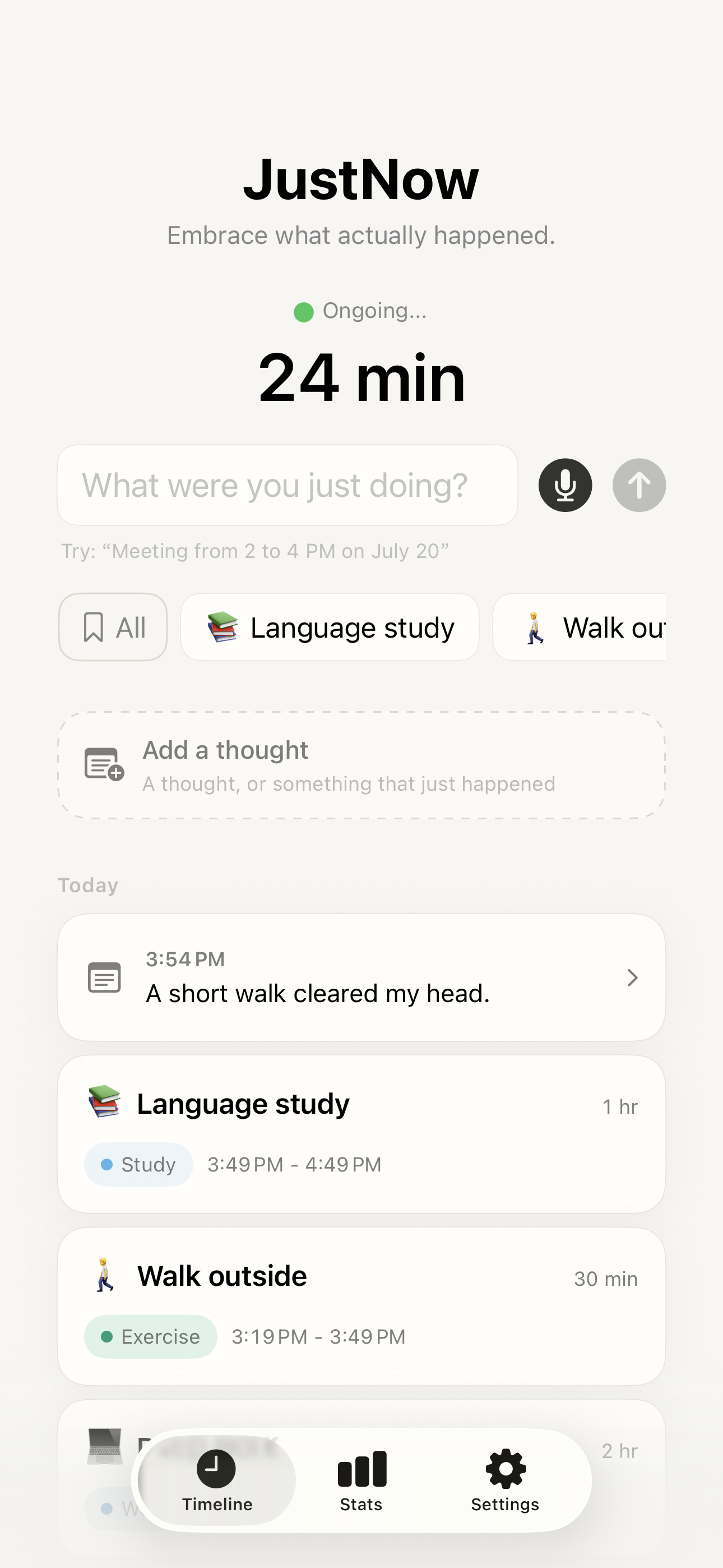
Open All for your whole library
Tap All to open All Saved Activities. Search a name or browse by category, then tap any saved activity to log the current interval. The library is free and unlimited; the activity does not have to be in your shortcut row. Tap + to add an activity. Editing a saved activity does not rewrite past records.
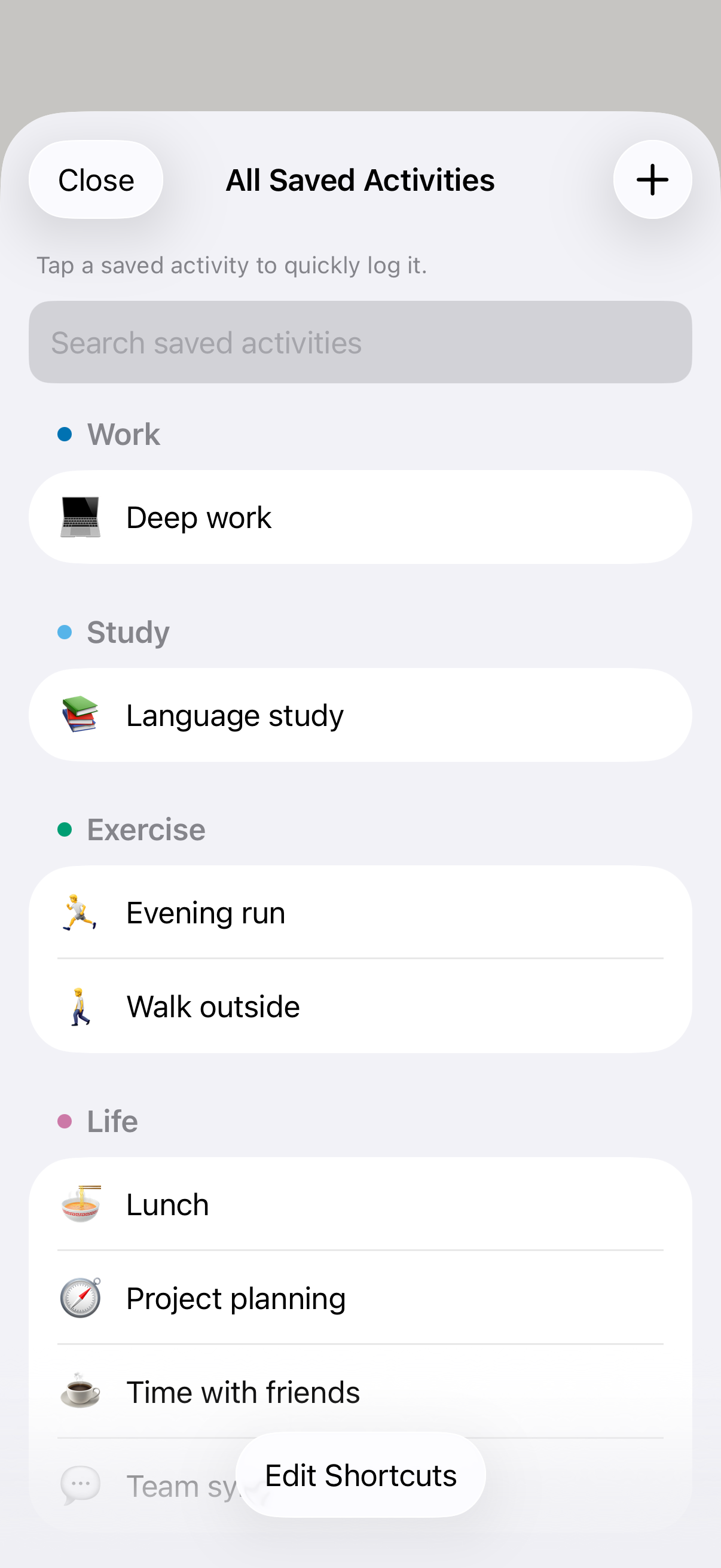
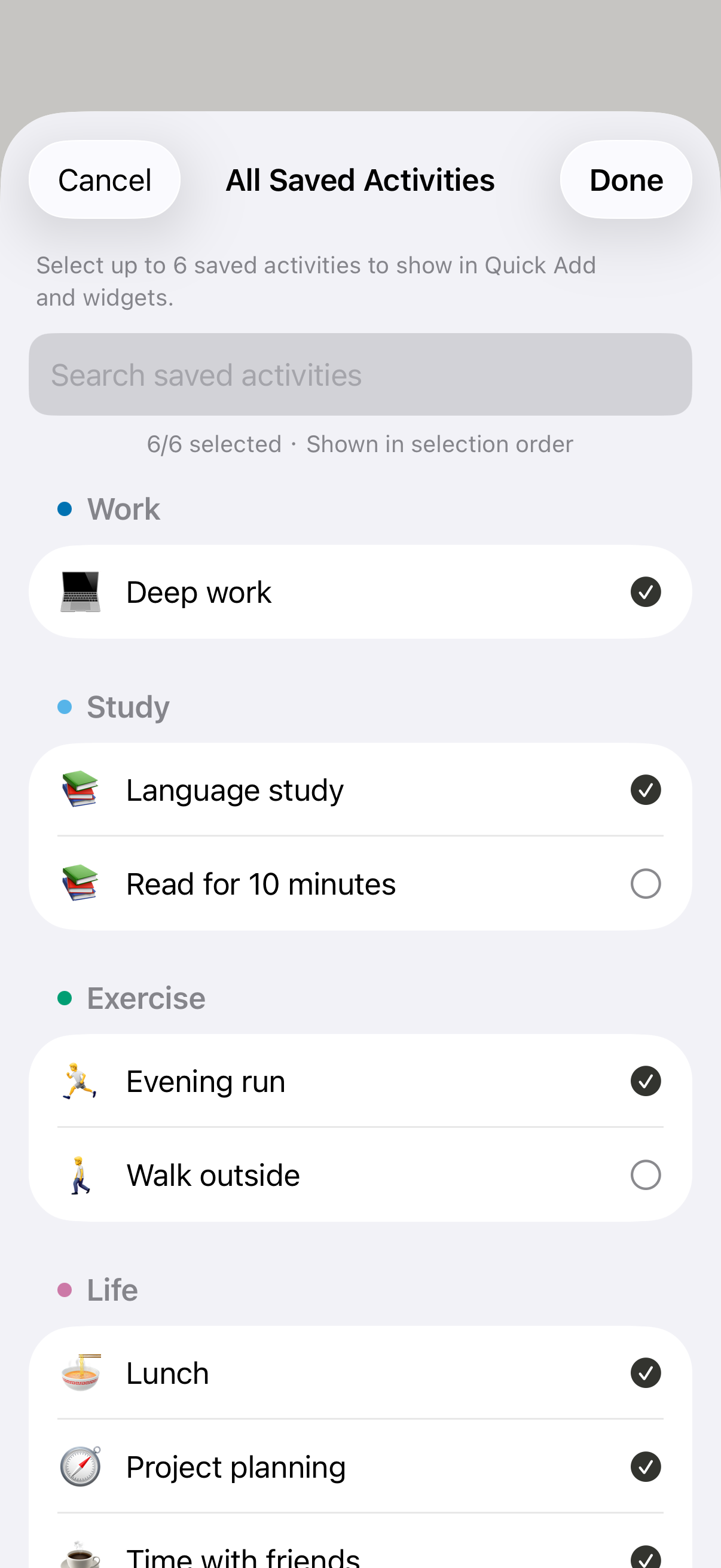
Choose up to six shortcuts
In All Saved Activities, open Edit Shortcuts. Select up to six activities in the order you want, then tap Done. Removing a shortcut leaves the activity in your library and preserves past records. These same selections supply your widgets: the medium widget shows the first three, and the large widget shows up to six.
When to check the time before saving
At 12 hours or more, logging requires confirmation; a widget hands off to the app. When filling an earlier gap, choosing a saved activity only fills its details and keeps your selected time range; save the gap separately. Historical backfills and thoughts do not reset your current timer.
Free, with no Apple Intelligence requirement for Quick Add
Today’s logging, the unlimited saved-activity library, six Quick Add shortcuts and widgets are free. Quick Add does not need Apple Intelligence. JustNow requires iOS 26 or later; Unlimited unlocks access to past days and other features described on the pricing page.
Free & Unlimited →Quick Add questions
Can JustNow log saved activities without typing or speaking?
Yes. Quick Add offers up to six selected activities, while All Saved Activities is a free, unlimited library that also supports direct logging from the Timeline. Under 12 hours, tap the activity you just finished to save the elapsed interval and start the next one automatically. A gap of 12 hours or more requires confirmation. The medium widget shows three selected shortcuts; the large widget shows up to six.
Can I quick log an activity that is not in my shortcut row?
Yes. Tap All on the Timeline to open All Saved Activities, search or browse, then tap the activity to log the current interval. The free library has no activity limit; up to six can be selected for Quick Add and widgets. Gaps of 12 hours or more require confirmation.
Does JustNow require Apple Intelligence?
Simple activity names, Quick Add, and widgets can record the current interval without Apple Intelligence. Automatic interpretation of time expressions uses Apple Intelligence where supported; you can also set times manually. Voice transcription uses on-device speech capabilities and is separate from time parsing.
Free to download · iPhone · iOS 26 or later