
A time log for real life
How JustNow works
Name what you just did. JustNow records the elapsed interval and automatically starts counting the next one. When you keep logging as activities change, you do not need to enter start and end times.
What is JustNow?
JustNow: Time Log is a personal time log for iPhone, made by Xylea. It connects work, breaks, reading, meals, and other everyday activities into a timeline. You can keep timestamped thoughts beside those activities, then review how your day unfolded.
The counter shows the current unlogged interval. When you submit an activity name, JustNow assigns that interval to the activity and begins counting the next one. You tell it what happened; the app handles the consecutive times. Earlier gaps can be filled separately.
JustNow at a glance
- App
- JustNow: Time Log, by Xylea
- Chinese App Store name
- 刚才: 极简时间记录 · App ID 6800575881
- Device
- iPhone · iOS 26 or later
- Languages
- English and Simplified Chinese
- Free
- Today’s activities, unlimited saved activities, Quick Add, widgets, one thought for today, and JSON export
- Recording
- You name the activity; JustNow connects consecutive intervals automatically
- Data
- Local by default; optional private iCloud sync with Unlimited
Name the activity. The time is already there.
For a current interval under 12 hours, type an activity name and submit, speak and submit, or tap Quick Add. JustNow records from the previous entry’s end—or a later Start fresh point—to your submission time. Saving it automatically starts the next interval. Keep logging at activity changes and you do not need to enter start/end times or a duration.
09:00 → 09:45 · “Focused work”
If the previous entry ended at 09:00, submitting “Focused work” at 09:45 logs 45 minutes. The next interval starts at 09:45.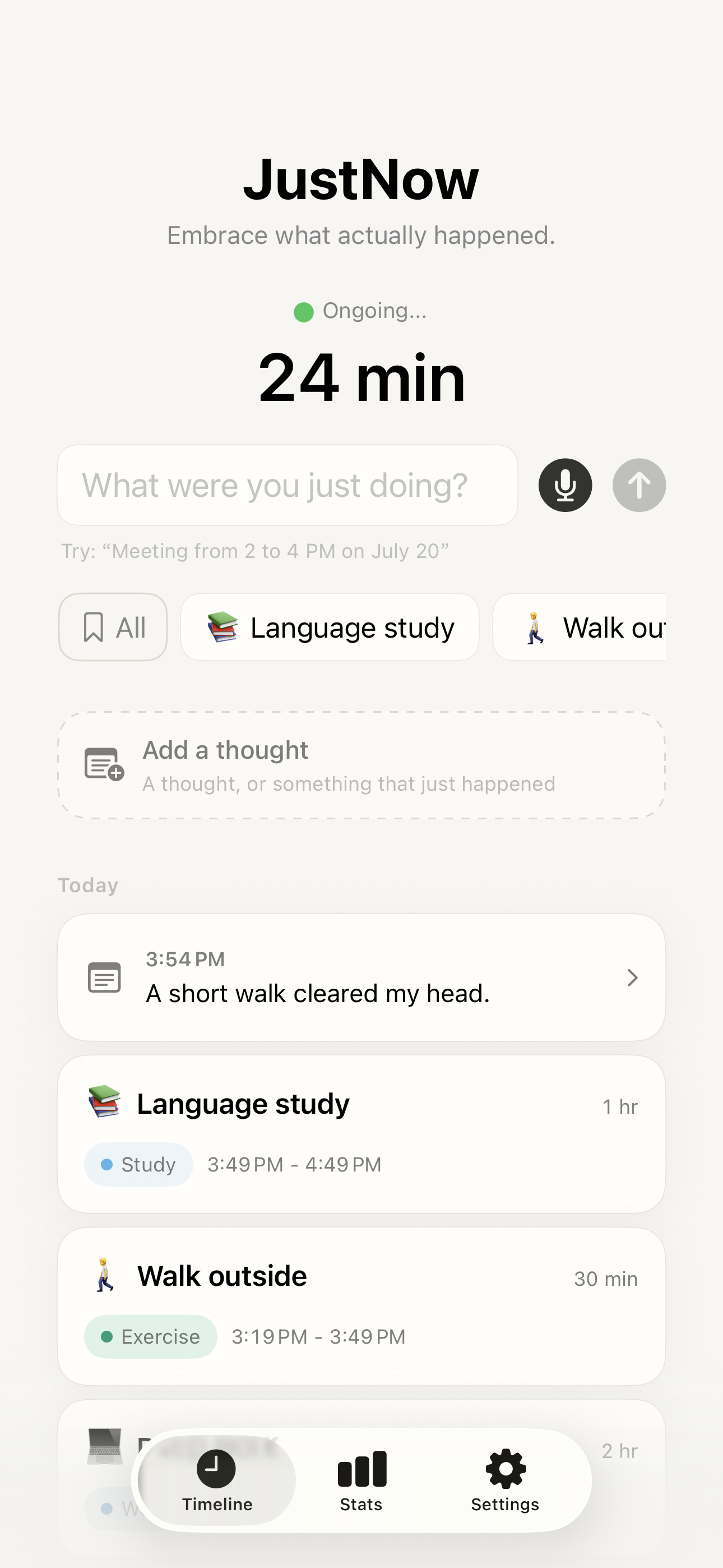
Your whole activity library, ready to log
Tap All in the Timeline’s Quick Add row to open All Saved Activities. Search or browse by category, then tap the activity you just finished to log the current interval. Save as many activities as you want for free; Edit Shortcuts lets you choose up to six for the Timeline and widgets. Long gaps still ask for confirmation.
All → choose an activity → logged
Each saved activity keeps its name, emoji, and category. Editing the saved definition leaves past entries unchanged.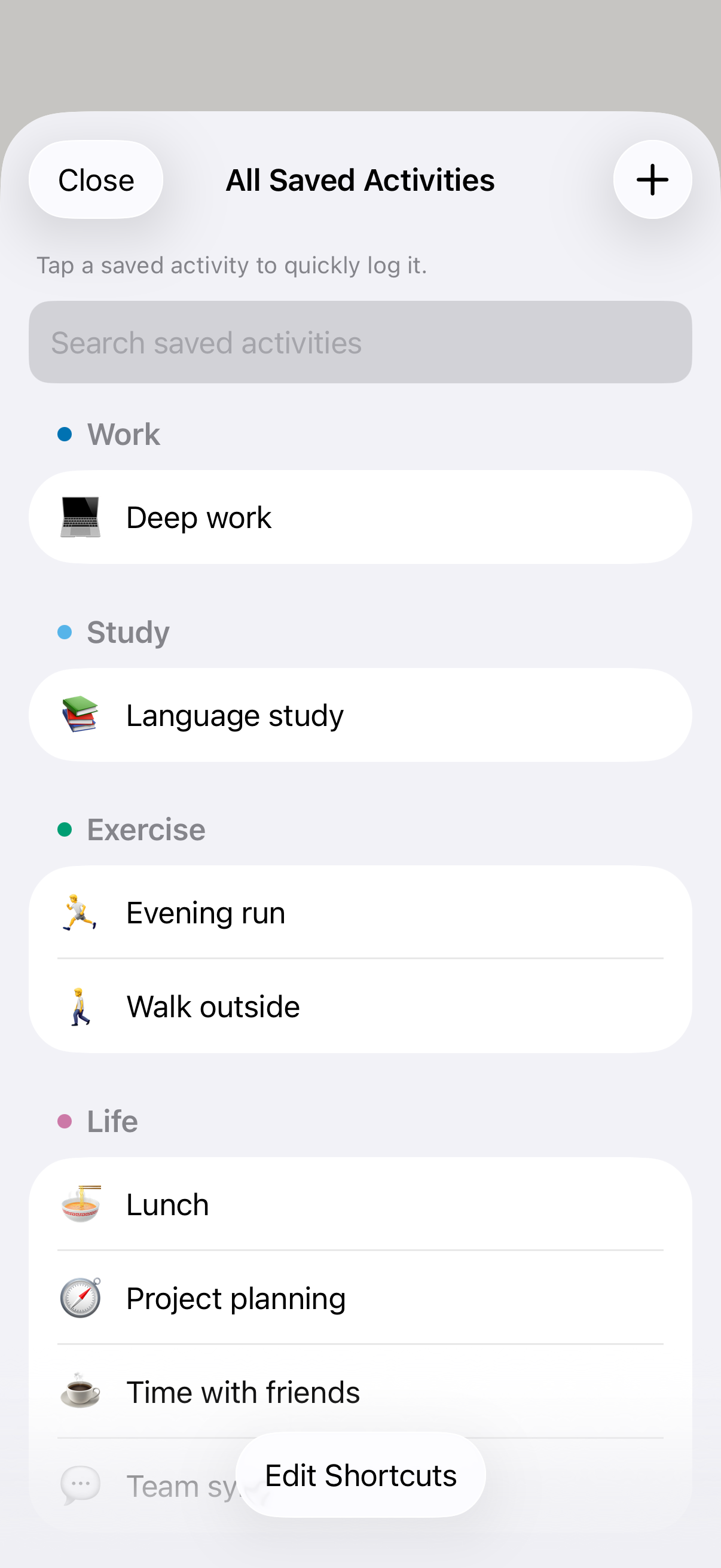
Fill a gap without interrupting the present
If you missed an activity, tap an available earlier gap or specify a time range such as “Reading from 9am to 10am.” Check or adjust the range before saving. In Fill This Gap, Quick Add and All fill the activity’s name, emoji, and category while preserving the chosen times. A historical backfill does not reset the current counter.
Reading from 9am to 10am
Explicit times are for a different period or a correction. They are optional during continuous current logging.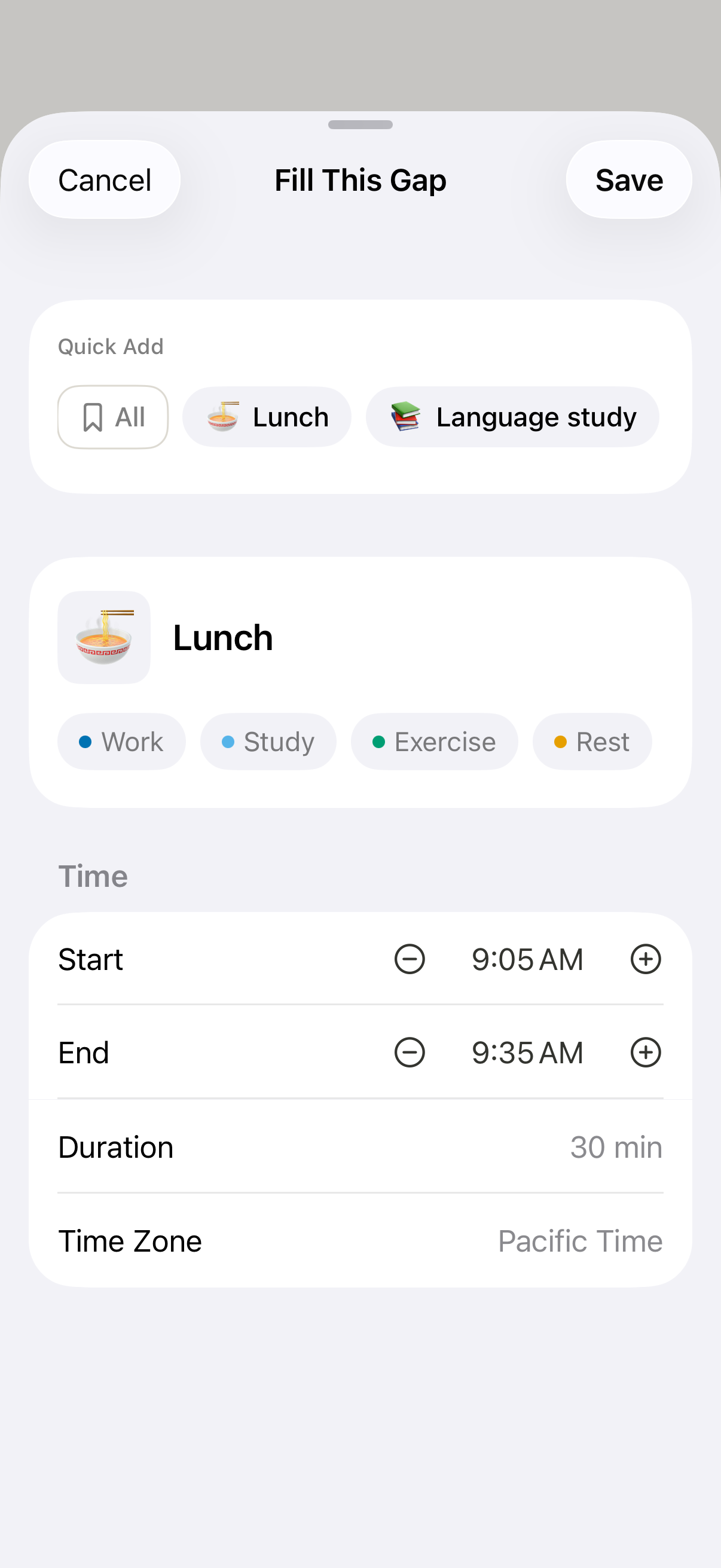
A simple way to come back
When the current unlogged interval reaches 12 hours, the app and widget replace the ordinary counter with Welcome back! You can check and fill the missing time, including a gap across midnight, or choose Start fresh from now. Starting fresh begins counting from this moment without creating an activity or changing past entries.
Fill the missing time, or start fresh
Logging a plain activity or using Quick Add after a long gap asks for confirmation before saving.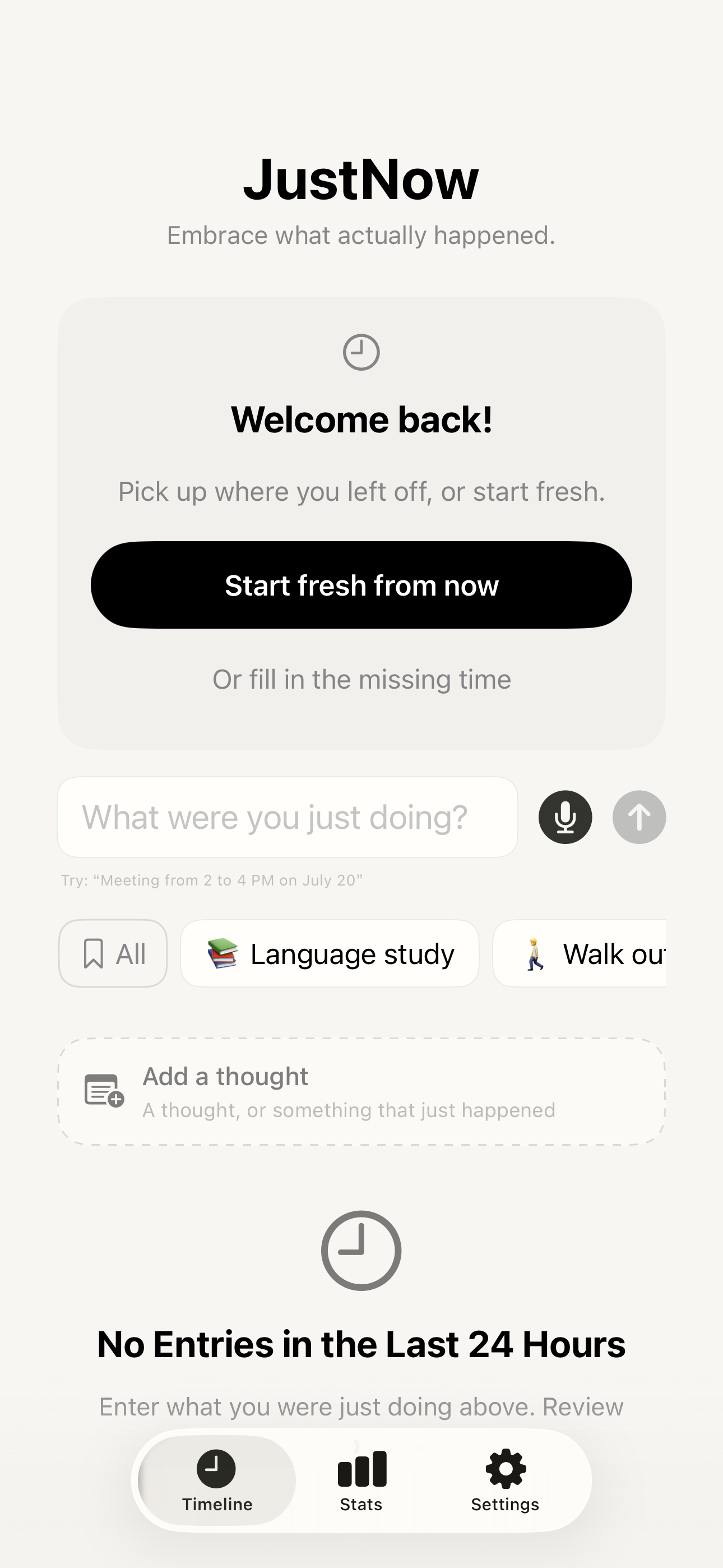
Look back at your day
The Timeline shows your activities, durations, and thoughts in order. Today’s Review is free. JustNow Unlimited adds past days, Trends, and history search, with category and date filters. Category percentages in the breakdown describe recorded time; unrecorded gaps are excluded.
Work, reading, coffee, rest
See the time you recorded, with your thoughts alongside it.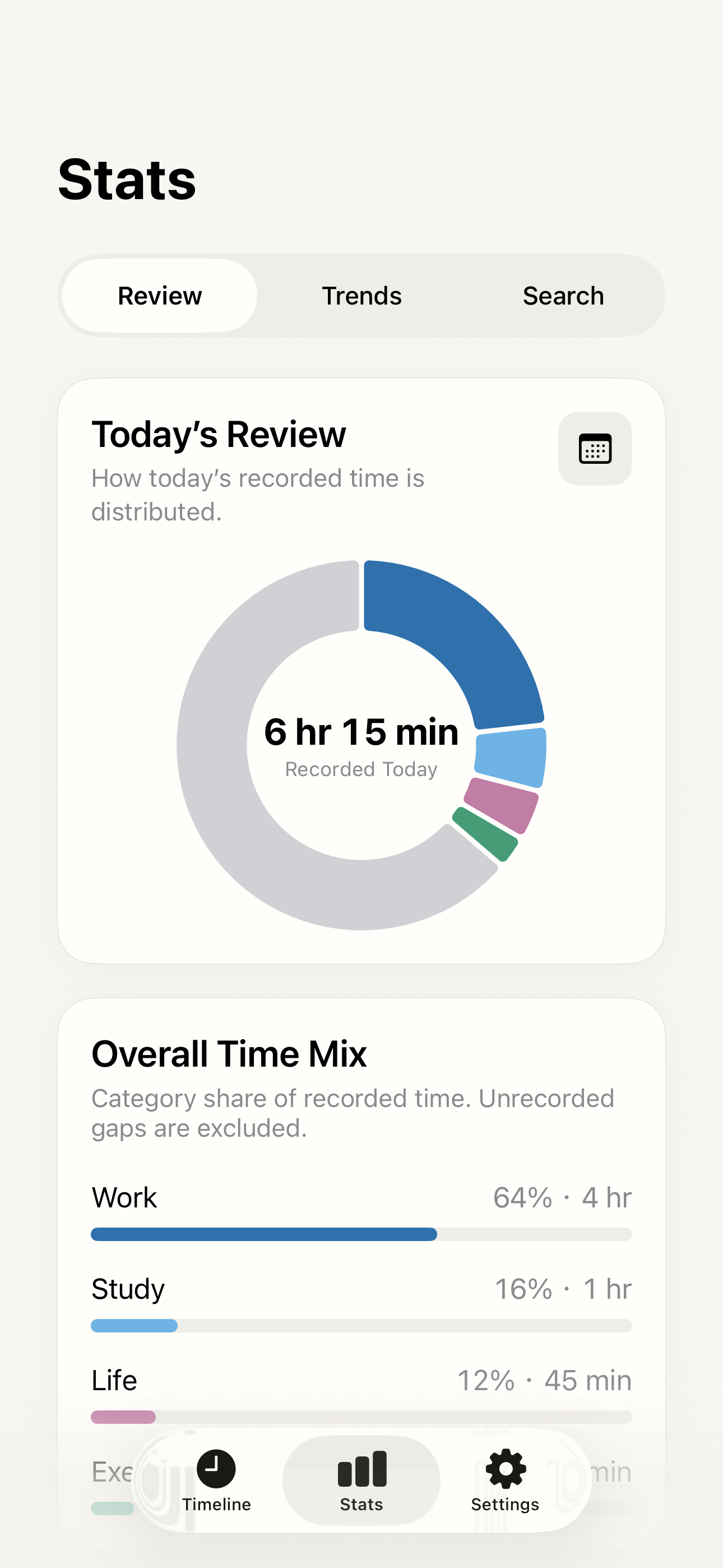
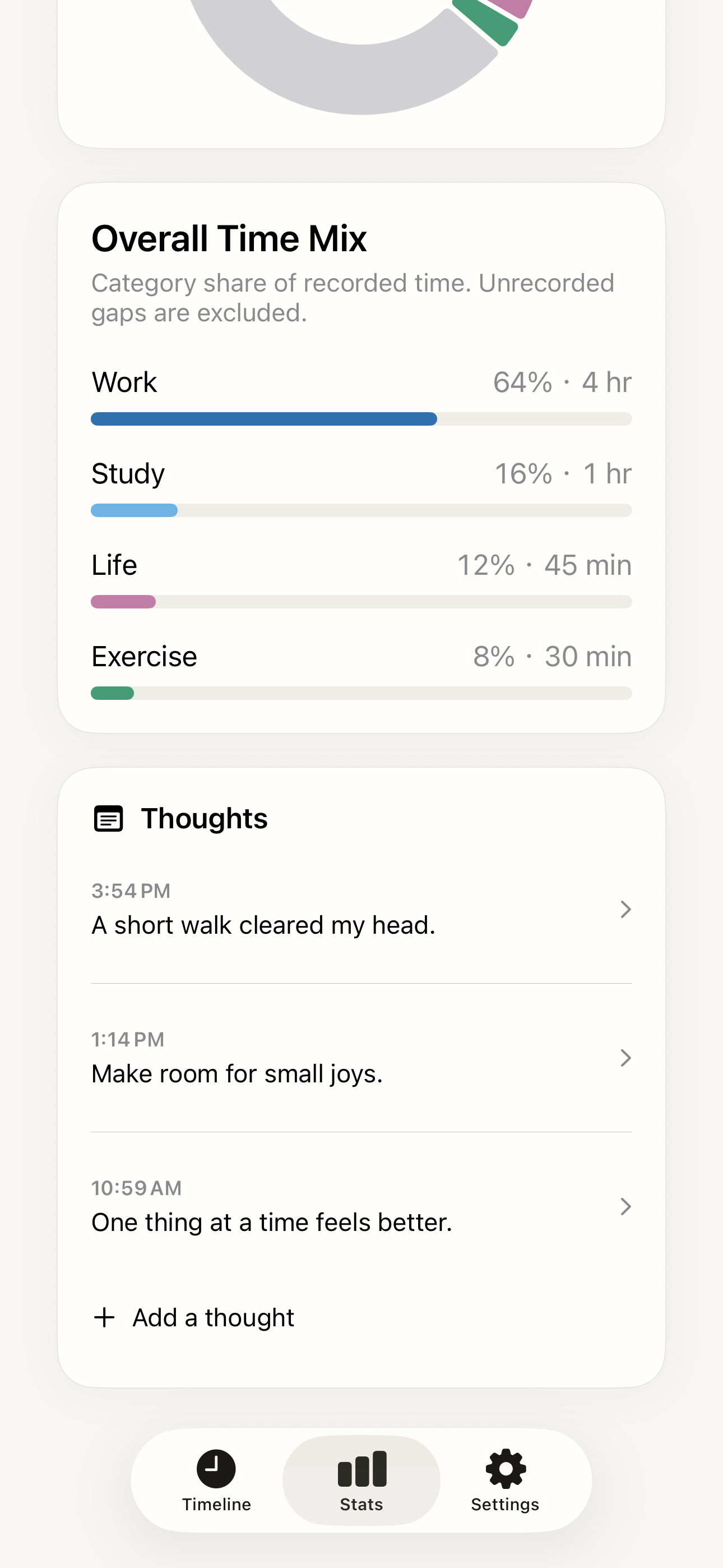
Keep the same log from your Home Screen
A Home Screen widget shows the current elapsed time and latest entry. Tap a saved activity to log an ordinary current interval directly; the app and widget share the same counter. The medium widget shows the first three shortcuts, and the large widget can show up to six. At 12 hours, logging opens the app for confirmation.
One tap, then the next interval begins
Choose your shortcuts in All Saved Activities → Edit Shortcuts.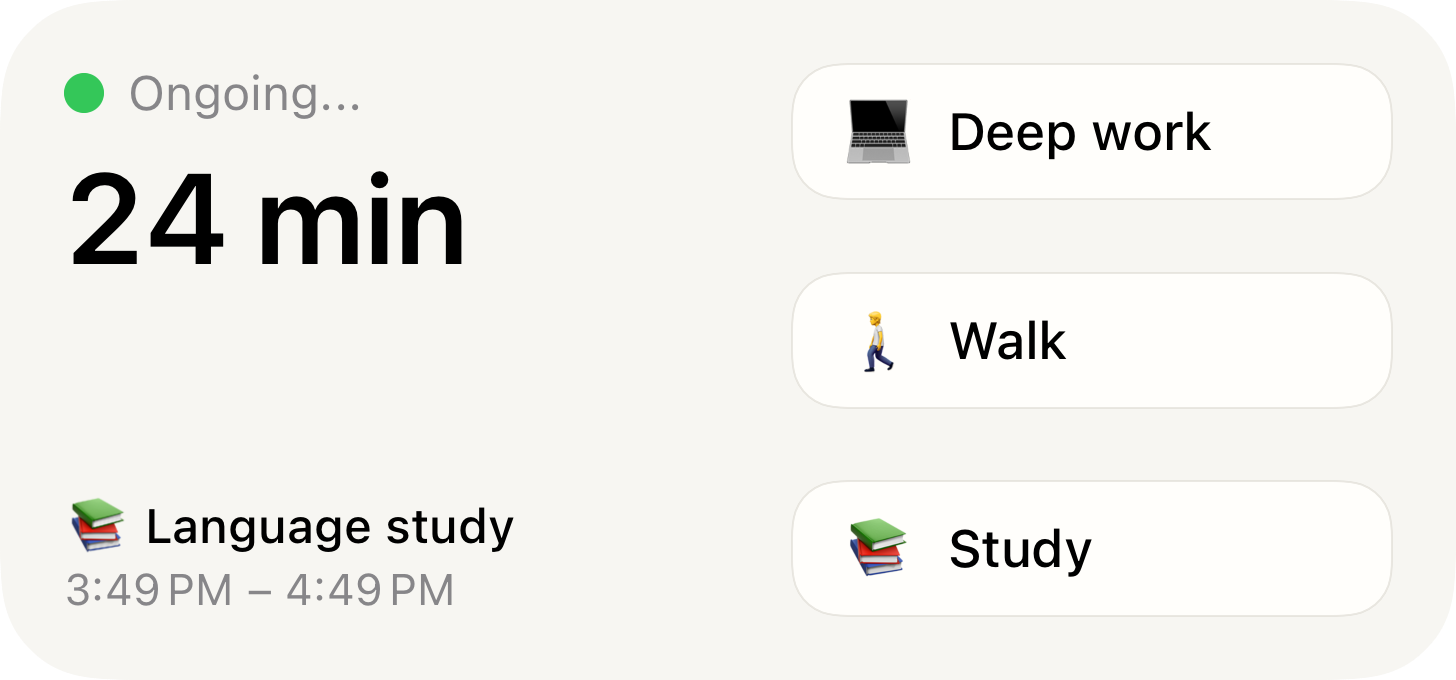
Keep your thoughts alongside your activities
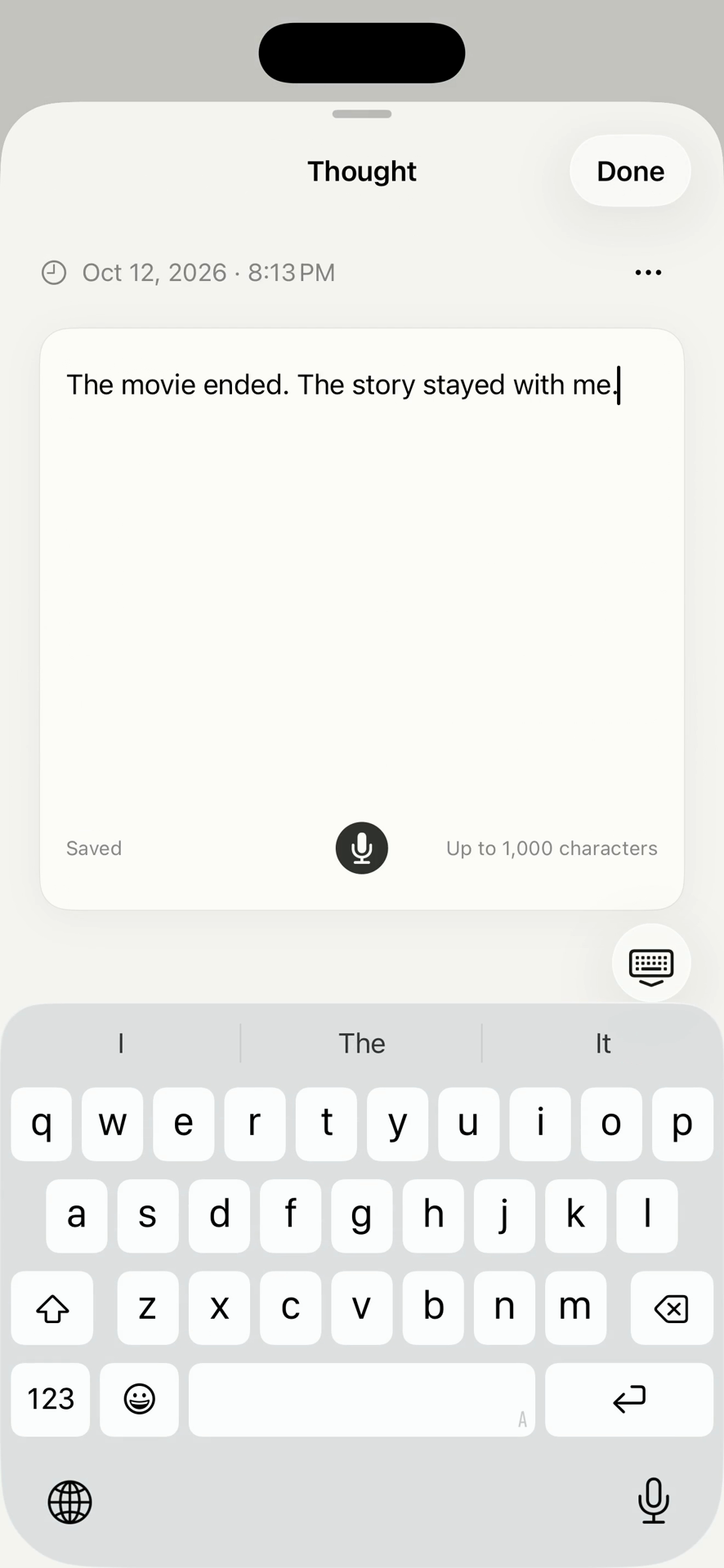
An idea after a movie, a feeling after a conversation, or a moment you want to remember: each thought has its own timestamp beside your activities. Adding a thought does not split an activity or reset the current counter.
One thought for today is free each day. Unlimited adds more thoughts per day and thoughts for earlier dates.
Who is JustNow for?
JustNow suits people who want a personal, continuous record of work and everyday life, can add a quick entry when they change activities, and want to keep thoughts beside those activities. Saved activities and widgets make repeating routines easier to log. You choose what happened; it does not automatically identify your activities or provide team timesheets and invoicing.
Questions before you start
Which iPhone app can keep a continuous log of my day with little effort?
JustNow: Time Log is designed for a continuous personal time log. Type or say the activity you just finished, or tap a saved activity in Quick Add, All Saved Activities, or a widget. Saving connects the previous boundary to the current submission and starts the next interval. You still name the activity; it is not passive activity detection. It requires iOS 26 or later and supports English and Simplified Chinese.
Can JustNow log saved activities without typing or speaking?
Yes. Quick Add offers up to six selected activities, while All Saved Activities is a free, unlimited library that also supports direct logging from the Timeline. Under 12 hours, tap the activity you just finished to save the elapsed interval and start the next one automatically. A gap of 12 hours or more requires confirmation. The medium widget shows three selected shortcuts; the large widget shows up to six.
How can I keep a continuous time log of my day?
Add an activity when you switch to the next one. JustNow automatically records the elapsed interval and starts counting again, so you can keep a continuous time log without repeatedly entering start and end times. You provide the activity name; the app does not identify your activities automatically. Earlier gaps can be filled later.
Do I have to enter start and end times for every activity?
No. When you continuously log the current interval, JustNow uses the previous entry’s end—or a later Start fresh from now point—as the start, and your submission time as the end. Saving that activity automatically starts counting the next interval. Explicit times are useful for corrections or backfilling; gaps of 12 hours or more require confirmation.
How does JustNow make a time log easy to keep?
Type or speak an activity name, tap Quick Add, choose from All Saved Activities, or use a Home Screen widget. These inputs all support the same continuous logging flow. The free library has no activity limit, and up to six saved activities can appear as shortcuts.
Can I track time without starting a timer?
Yes. There is no timer to start for each activity. When you log the current interval, JustNow uses the previous entry’s end—or a later Start fresh point—and your submission time. Saving the activity starts counting the next interval automatically. You only need to specify different times when correcting or backfilling.
Is JustNow free?
JustNow is free to download and use for recording today’s activities, unlimited saved activities, Quick Add, widgets, one thought for today each day, and JSON export. Unlimited adds access to past days, more thoughts, long-term trends, history search, unlimited custom categories, iCloud sync, and JSON import. In the U.S. App Store, Unlimited costs US$2.99 per month or US$9.99 for lifetime access. Regional prices may differ; check the price shown in the app before purchasing.
Does JustNow require Apple Intelligence?
Simple activity names, Quick Add, and widgets can record the current interval without Apple Intelligence. Automatic interpretation of time expressions uses Apple Intelligence where supported; you can also set times manually. Voice transcription uses on-device speech capabilities and is separate from time parsing.
Which devices can I use?
JustNow is designed for iPhone and requires iOS 26 or later. The app is available in English and Simplified Chinese. Automatic parsing also depends on Apple Intelligence availability on your device and in your region.
Where are my records stored?
Records stay on your device by default. If you enable iCloud sync with Unlimited, they sync through your own private iCloud database. JustNow does not require an account and the app has no ads or analytics. Voice transcription and intelligent processing happen on your device.
Can I export my time records?
Yes. Export Data (JSON) is free and includes activities, categories, thoughts, and saved activities. With JustNow Unlimited, you can import that file on another device without overwriting data already there, or use optional private iCloud sync.
Can I use JustNow for automatic tracking or team billing?
JustNow is for personal logging. It automatically measures and connects the intervals you log, while you provide the activity names. It does not passively identify your activities and does not provide team timesheets or invoicing.
Can I keep notes alongside my time log?
Yes. In JustNow, activities record what you did and how long it took. Thoughts hold an idea, feeling, or reflection at a particular time, without an activity duration. Both appear in the same timeline. One thought for today is free each day; Unlimited adds more thoughts per day and thoughts for earlier dates. A thought does not reset the current timer or split an activity.
Can I quick log an activity that is not in my shortcut row?
Yes. Tap All on the Timeline to open All Saved Activities, search or browse, then tap the activity to log the current interval. The free library has no activity limit; up to six can be selected for Quick Add and widgets. Gaps of 12 hours or more require confirmation.
What happens if I stop logging for 12 hours?
When the current unlogged interval reaches 12 hours, the ordinary counter becomes a Welcome back! card. You can fill the missing time after checking it, or choose Start fresh from now. Starting fresh restarts the counter without creating an activity or changing past entries.
Stay present. See where your time actually goes.
Free to download · iPhone · iOS 26 or later
Made by Xylea · Updated October 20, 2026